
Service 06
Asset Inventory & Field Data Capture
Every fixture, shelf and unit — counted, photographed and tied to the plan.
Asset inventory is the structured record of what is actually in a building: fixtures, shelving, coolers, seating, equipment, signage, finishes and their condition. It is the data a remodel or an opening needs before anyone prices the work.
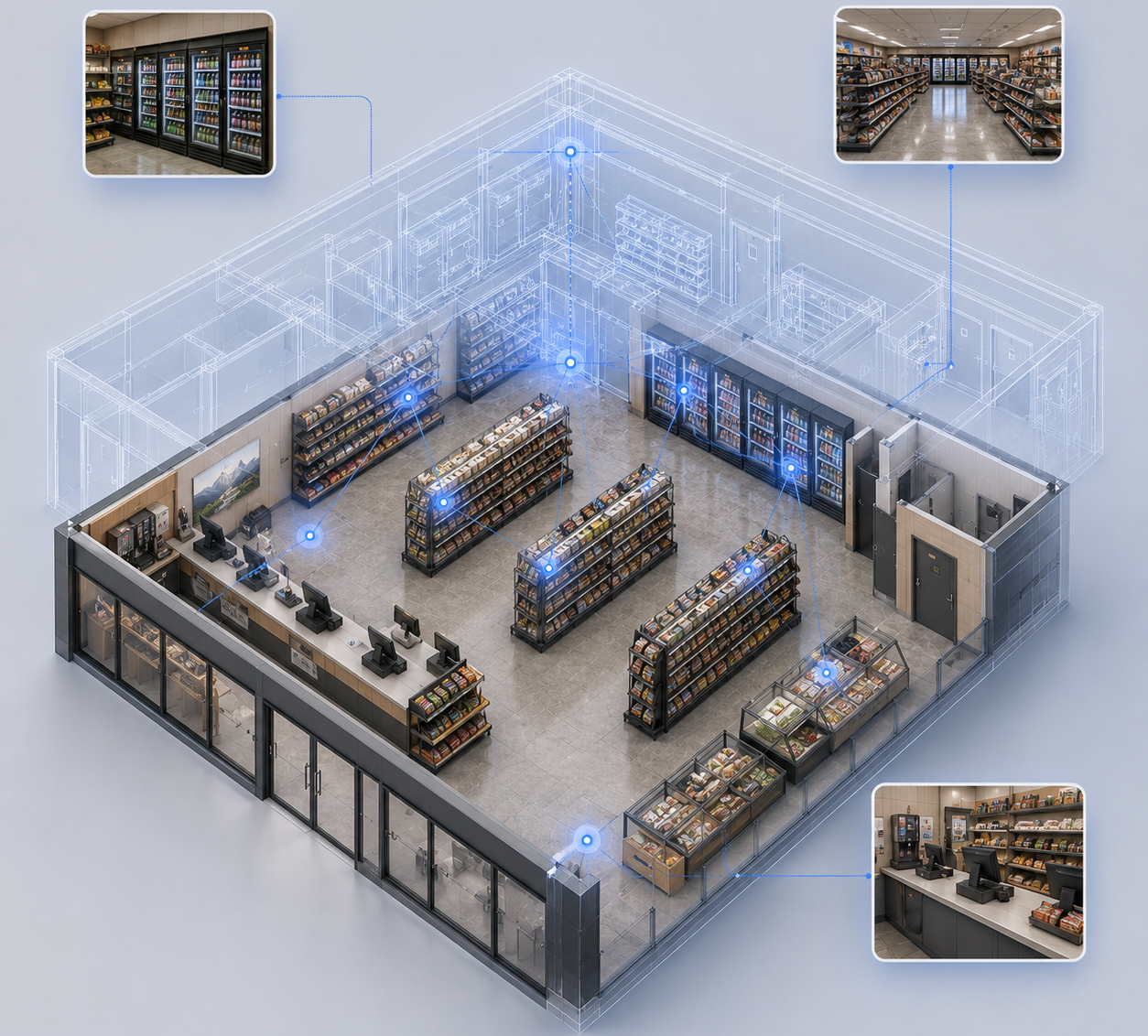
We collect it on site, systematically, zone by zone, and link every record to a photograph and a location on the floor plan. The result is a dataset your team can filter and sort — not a stack of binders and a folder of unlabelled photos.
Paired with the walkthrough, it means a remote reviewer can click a room, see the fixtures in it, and check the count without driving to the site.
Where it gets used
Common uses
Retail remodels
Know exactly which fixtures, coolers and displays exist before scoping a refresh or a prototype change.
Restaurant openings
Verify kitchen and front-of-house equipment against the plan before the build-out starts.
Healthcare equipment audits
Track units, condition and location across a clinic or facility.
Campus and portfolio asset tracking
Build one consistent inventory across multiple buildings or sites.
Insurance and claims documentation
Evidence what was there, where it was, and what condition it was in.
Pre-lease and handover
Give a incoming tenant or owner a documented starting point.
Deliverables
What you receive
Everything below ships as one package — no separate line item for the walkthrough.
- Structured spreadsheet or database export of every asset
- Photograph index linked to each record
- Floor plan with asset IDs and locations
- Condition and quantity notes per asset
- Virtual walkthrough so any record can be verified remotely
- Optional custom fields to match your template
Why teams choose us for this
What makes the difference
Built to your template
If you have a column structure or an asset system, we capture into it instead of handing you something to re-key.
Photo-backed
Every record has an image, so a disputed count is settled on the spot.
Location-aware
Assets sit on the plan, not just in a list, so a new team member can find them.
Verified remotely
The walkthrough lets your team check the inventory without another site visit.
How it works
From site to deliverable
- 01
Scope
We agree the asset categories, the fields you need, and the template the output must arrive in.
- 02
Capture
The crew walks the site zone by zone, recording each asset with a photo and a location.
- 03
Structure
Records are cleaned, deduplicated and matched to the floor plan.
- 04
Deliver
You get the dataset, the photo index, the plan and the walkthrough link.
Questions
Asset Inventory & Field Data Capture, answered.
Can you capture into our spreadsheet or system?+
Yes. Send the template or the field list and we deliver in that format.
Can you tag by department, room or cost center?+
Yes. Grouping is set during scoping so the export is usable the day it arrives.
How do you handle a large store or a multi-floor facility?+
Zone by zone, with a coverage check before we leave, so nothing gets missed between sections.
Do you record condition as well as existence?+
Yes. Condition notes and photographs are captured per asset when the scope calls for it.
Does this include the drawings?+
Inventory can stand alone, and it is usually quoted alongside as-built documentation so every asset has a plan to sit on.
By building type
Where we do this work
Other services
Also worth a look
Ready to capture your site?
Free consultation and quote — usually within one business day.